If you plan to build a website in 2026, you’ve likely heard of WordPress. From blogs to online stores and membership platforms, WordPress powers millions of websites worldwide. Its flexibility, ease of use, and customization options have made it the most popular content management system (CMS) available.
Whether you are a student, entrepreneur, blogger, freelancer, or business owner, understanding WordPress will help you establish a strong online presence. This beginner-friendly guide explains what WordPress is, how it works, its features, benefits, and why it continues to lead the website-building industry in 2026.
What Is WordPress?
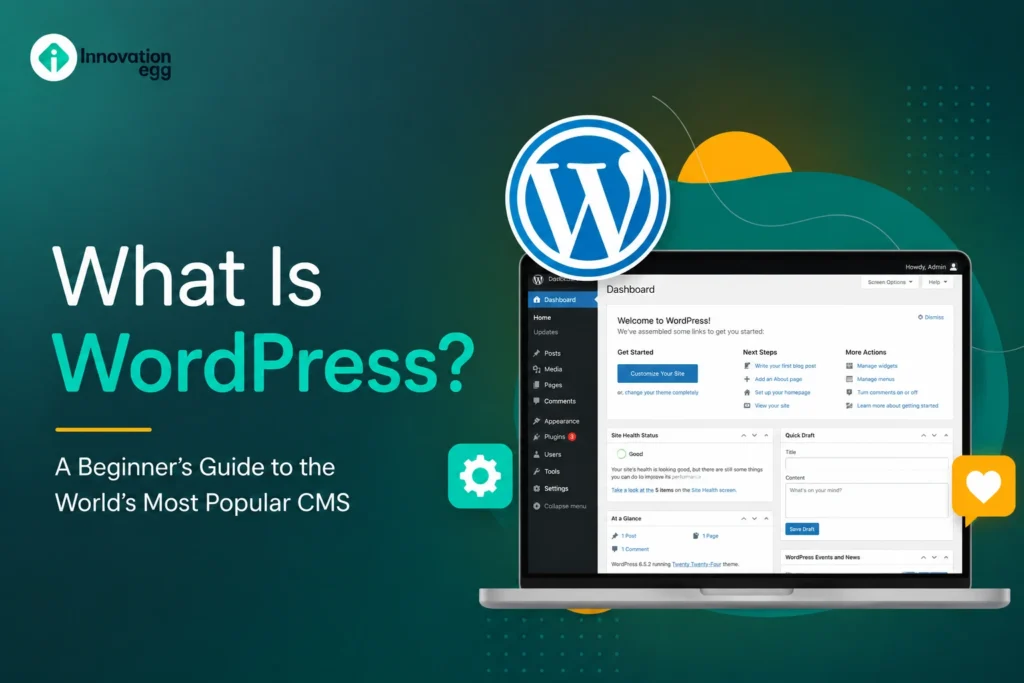
WordPress is a free and open-source Content Management System (CMS) that allows users to create, manage, and publish websites without needing advanced coding skills.
Launched in 2003 as a blogging platform, WordPress has evolved into a powerful solution capable of creating virtually any type of website. Today, individuals, businesses, educational institutions, and online stores use it worldwide.
The platform provides an easy-to-use dashboard that lets users create pages, publish blog posts, upload media, customize website designs, and manage content efficiently.
How Does WordPress Work?
WordPress works by combining several components to create a functional website:
Core Software
The WordPress core is the foundation of the platform. It handles website functionality, content management, user roles, and other essential operations.
Themes
Themes control the appearance and design of a website. Users can choose from thousands of free and premium themes to create a unique look.
Plugins
Plugins add additional functionality to a website. Whether you want contact forms, eCommerce features, SEO tools, security enhancements, or social media integration, plugins make it possible.
Database
WordPress stores website content such as posts, pages, settings, and user information in a database, making it easy to manage and update content.
Hosting
To make a WordPress website accessible online, it must be hosted on a web server provided by a hosting company.
WordPress.org vs WordPress.com
One of the most common beginner questions is the difference between WordPress.org and WordPress.com.
WordPress.org
WordPress.org is the self-hosted version of WordPress. You download and install the software on your own hosting account.
Benefits include:
- Full control over your website
- Unlimited customization
- Access to all themes and plugins
- Better monetization opportunities
- Greater flexibility
WordPress.com
WordPress.com is a platform that handles hosting and maintenance for users.
Benefits include:
- Easier setup
- No technical maintenance
- Built-in security
However, customization options are more limited compared to WordPress.org.
For most businesses and professional websites, WordPress.org remains the preferred choice.
Why Is WordPress So Popular?
WordPress remains the leading website-building platform because it offers several advantages.
User-Friendly Interface
Even beginners can create and manage websites with minimal technical knowledge. The dashboard is intuitive and easy to navigate.
Flexible and Scalable
WordPress can support everything from a simple blog to a large eCommerce store with thousands of products.
Open-Source Platform
Because WordPress is open source, developers worldwide continuously improve and expand its functionality.
Large Community Support
Millions of users, developers, designers, and educators contribute to the WordPress ecosystem, making help readily available.
Cost-Effective Solution
The software itself is free, reducing startup costs for website owners.
Key Features of WordPress
WordPress offers a wide range of features that make website management simple and efficient.
Easy Content Management
Creating and editing content is straightforward. Users can add text, images, videos, and other media without coding knowledge.
Responsive Design
Most modern WordPress themes are mobile-friendly, ensuring websites perform well on smartphones and tablets.
Media Library
The built-in media library allows users to upload, organize, and manage images, videos, documents, and other files.
User Management
Different user roles can be assigned, such as administrators, editors, authors, and contributors.
Search Engine Friendly
WordPress is designed with clean code and structures that support search engine visibility.
Multilingual Capabilities
Many plugins allow websites to support multiple languages, making it easier to reach global audiences.
Types of Websites You Can Build with WordPress
One of WordPress’s greatest strengths is its versatility.
Blogs
WordPress started as a blogging platform and remains one of the best tools for bloggers.
Business Websites
Companies use WordPress to showcase services, products, and company information.
Online Stores
With WooCommerce and similar plugins, WordPress can become a fully functional eCommerce platform.
Portfolio Websites
Artists, photographers, designers, and freelancers can display their work professionally.
Educational Websites
Schools, tutors, and online educators use WordPress to offer courses and learning resources.
Membership Websites
You can create subscription-based communities and premium content platforms.
News Websites
Many media organizations use WordPress to publish articles and manage large volumes of content.
Benefits of Using WordPress
Beginner-Friendly
You do not need extensive programming knowledge to get started.
Highly Customizable
Thousands of themes and plugins provide endless customization possibilities.
SEO Friendly
WordPress includes features that help websites rank better in search engines.
Secure
When updated regularly and combined with security plugins, WordPress offers strong protection against common threats.
Mobile Responsive
Most modern WordPress themes adapt automatically to various screen sizes.
Affordable
Website owners can build professional websites without large development costs.
Strong Community
The global WordPress community provides tutorials, forums, documentation, and support resources.
Understanding WordPress Themes
Themes determine how a website looks and functions visually.
A theme controls:
- Layout design
- Colors
- Typography
- Navigation menus
- Homepage structure
- Blog appearance
Thousands of free themes are available through the WordPress repository, while premium themes often provide advanced features and support.
When selecting a theme, consider speed, responsiveness, customization options, and plugin compatibility.
Understanding WordPress Plugins
Plugins extend the functionality of a WordPress website.
Popular plugin categories include:
SEO Plugins
Help optimize websites for search engines.
Security Plugins
Protect websites from malware, hackers, and unauthorized access.
Backup Plugins
Create website backups for disaster recovery.
Contact Form Plugins
Allow visitors to communicate easily with website owners.
Performance Plugins
Improve website speed and user experience.
eCommerce Plugins
Enable online selling and payment processing.
The ability to add plugins makes WordPress one of the most flexible website platforms available.
WordPress and SEO
Search engine optimization plays a critical role in website success.
WordPress provides a strong foundation for SEO because it offers:
- Clean website architecture
- Search-friendly URLs
- Mobile responsiveness
- Fast loading capabilities
- Easy content management
Businesses often invest in professional SEO Services to maximize organic traffic and improve search rankings. Combining WordPress with effective SEO strategies can significantly enhance online visibility.
Is WordPress Secure?
Security is a major concern for website owners.
Fortunately, WordPress can be highly secure when best practices are followed.
Keep WordPress Updated
Always install the latest updates for WordPress core, themes, and plugins.
Use Strong Passwords
Complex passwords help prevent unauthorized access.
Install Security Plugins
Security tools monitor threats and block malicious activities.
Enable Backups
Regular backups ensure the website can be recovered in the event of technical issues.
Use SSL Certificates
SSL encryption protects user data and improves trustworthiness.
How Much Does WordPress Cost?
While WordPress itself is free, certain expenses may apply.
Domain Name
A custom domain typically requires an annual registration fee.
Web Hosting
Hosting plans vary depending on website size and traffic requirements.
Premium Themes
Optional premium themes may involve one-time or recurring costs.
Premium Plugins
Some advanced plugins require paid subscriptions.
Professional Services
Businesses may hire developers, designers, or consultants for additional support.
Overall, WordPress remains one of the most cost-effective website-building solutions available.
Common WordPress Mistakes Beginners Should Avoid
Choosing Too Many Plugins
Installing too many plugins can slow down a website and cause compatibility issues.
Ignoring Updates
Outdated software increases security risks.
Using Weak Passwords
Simple passwords make websites vulnerable to attacks.
Neglecting Backups
Failing to back up a website can lead to data loss.
Choosing Poor Hosting
Low-quality hosting can negatively affect website speed and performance.
Ignoring Analytics
Tracking visitor behavior helps improve website effectiveness and growth.
The Future of WordPress in 2026
WordPress continues to evolve with modern web technologies.
Key trends include:
- Improved AI-powered content tools
- Enhanced website performance
- Better accessibility features
- Advanced block editing capabilities
- Stronger security measures
- Increased integration with marketing platforms
As technology advances, WordPress remains committed to helping users create professional websites efficiently and affordably.
Why Businesses Continue Choosing WordPress
Businesses of all sizes continue selecting WordPress because it offers flexibility, scalability, and ownership of digital assets.
Whether launching a startup website, corporate platform, online store, or content publication, WordPress provides a reliable framework for long-term growth.
Many companies also rely on tools such as an SEO Audit to identify website improvements, optimize performance, and strengthen search engine rankings. When combined with a strategic digital marketing approach from agencies like Innovationegg, WordPress becomes an even more powerful platform for achieving online success.
Conclusion
WordPress remains the world’s most popular content management system for good reason. It offers an easy-to-use interface, extensive customization options, strong SEO capabilities, and the flexibility to create virtually any type of website.
For beginners in 2026, WordPress provides an excellent starting point for building a professional online presence without requiring advanced technical skills. Whether your goal is blogging, selling products, generating leads, or growing a business, WordPress delivers the tools and flexibility needed to succeed.
By understanding its features, benefits, and best practices, you can confidently begin your website-building journey and take full advantage of everything WordPress has to offer.
FAQs
1. What is WordPress in simple terms?
WordPress is a free tool for making and managing websites without coding.
2. Is WordPress free to use?
Yes, WordPress is free. You may pay for hosting, a domain, or premium features.
3. What types of websites can be built with WordPress?
You can create blogs, business sites, stores, portfolios, and more with WordPress.
4. Do I need coding skills to use WordPress?
No, WordPress works for beginners, though coding helps with more customization.
5. What is the difference between WordPress.org and WordPress.com?
WordPress.org is self-hosted and flexible; WordPress.com hosts for you.
6. Is WordPress good for SEO?
Yes, WordPress is SEO-friendly and works with SEO plugins.
7. Is WordPress secure for websites?
Yes, WordPress is secure if updated and protected with strong passwords.
8. Why is WordPress so popular in 2026?
WordPress is popular for being easy to use, flexible, affordable, and well-supported.